Review Comments (0) Screenshots (4) Questions & Answers (0) Votes (0) Awards (5) Wiki  
-Please log in to rate
0 0/5 (0)
-YL Computing
-1.5
- www.ylcomputing.com
- 17 people
Download WinUtilities...

1.51 MBDownloaded 75 times


Review

This is a quick review

WinUtilities Duplicate File Finder is a utility that identifies duplicate files in one or more paths. Unlike other utilities that only check file names, WinUtilities Duplicate File Finder performs a binary comparison of file contents and can locate files that are alike regardless of names.
WinUtilities Duplicate File Finder's scanning can be defined by path, file mask(s), and (optionally) with complex filters for size/date/attributes. Entire drive(s) can be scanned or specific path(s). Results can be copied to the windows clipboard or saved to a tab delimited file. Functions to delete files, launch Windows Explorer, and show file properties are available. The Windows Recycle Bin is used by default during deletions. You can also launch a file in the results list by double clicking. The results list is searchable and can be printed. The sort order of the results can be adjusted prior to generating the results.
 
The following full-length review applies to version 1.5

WinUtilities Duplicate File Finder is a program that can save a lot of space on your hard disk. This program can be set to look for and detect any duplicate file in any folder or subfolder. And when you free up some space on your hard disk this way, your computer will start to work faster, and you will be able to use that free space in a more efficient way.

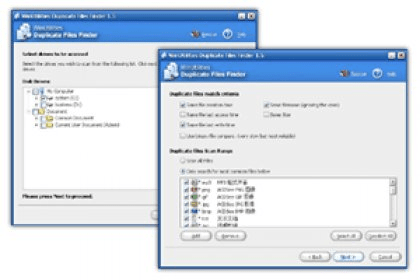
The program's graphical interface is wizard-based: it will guide you step by step on how to find duplicate files. WinUtilities Duplicate File Finder lets you search for duplicate files in different ways. At some point, the program will ask you to set the search criteria for it to identify duplicate files: same file creation time, last access time, last time write, same file name and size. You will also be able to set the program to look only for Mp3 files, PNG, GIF, TXT, AVI, RAR, ZIP, ACE, MPG, XLS, DOC and more. You can set the program to search on your entire computer or select some folders you don't want the program to scoop at all.
Advantages
  • Smart searching criteria.
  • Wizard-based.
Disadvantages
  • Not free.

Reviewed by: Sebastian Fernandez

Reviewer rating: Editor's rating 5

Screenshots

Main Window Main Window Welcome message Welcome message Select drives to be scanned Select drives to be scanned Duplicate files match criteria Duplicate files match...

Latest comments


There are no comments, be the first one!
Add new comment
Tag cloud
Download siClient

Email Address:

Password:

Register now »

Forgot password?

Copyright © 2009, Informer Technologies, Inc. About| Privacy and terms| Help| Feedback